Models
Switch on a model provider for the agent, on an API key, a subscription you already have, or a model on your computer.
Under Settings → Models, switch on the providers you want, each on your own API key or subscription. Add provider searches the catalog. A provider's tile says whether it is ready: Ready, Needs an API key, Needs a sign-in, No model to run or Not answering.
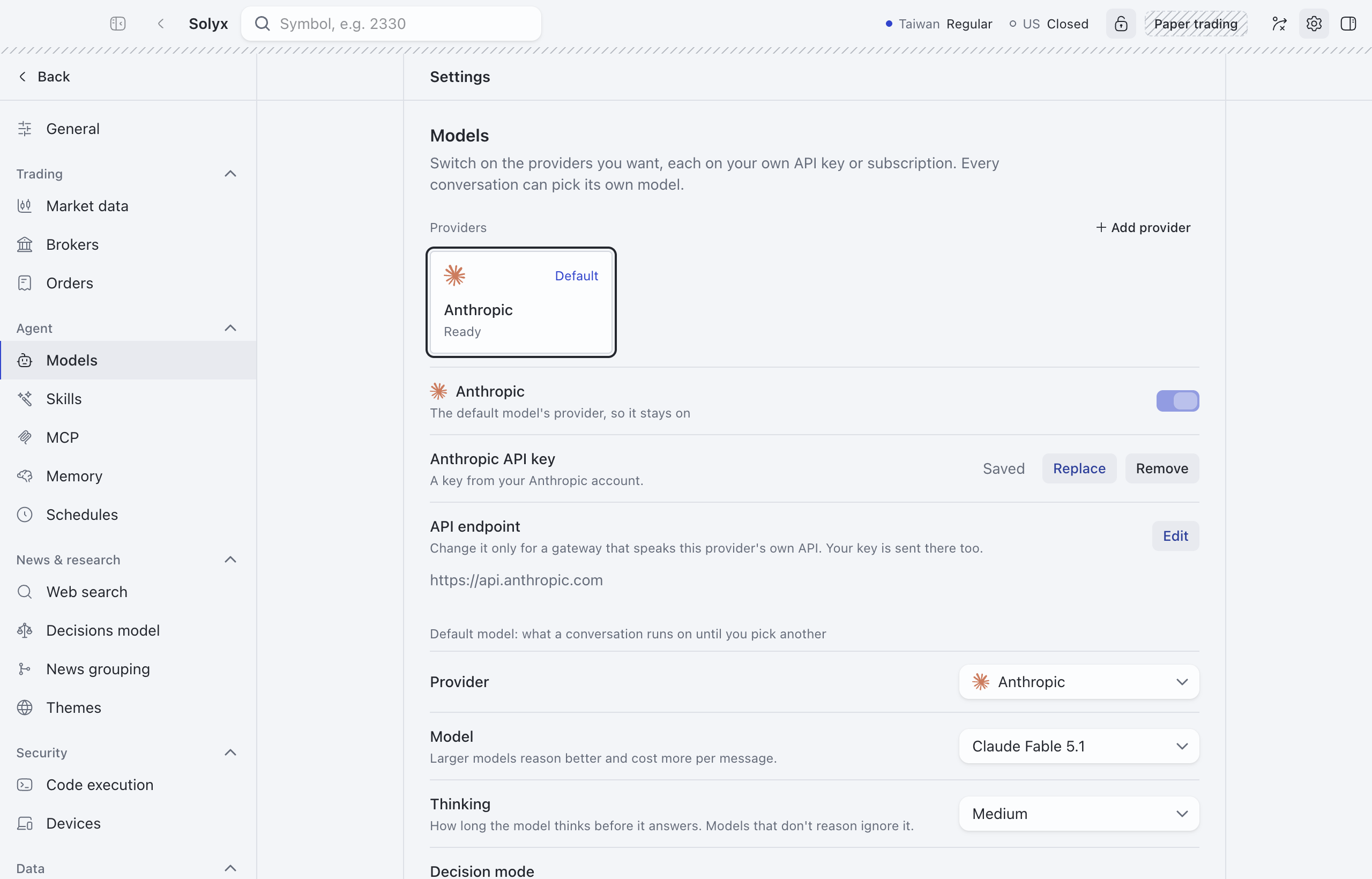
Providers
Solyx offers the providers its agent runtime, pi, can reach with a key, among them:
Anthropic
Claude, the default. Create a key in the Claude Console.
OpenAI
A platform API key, or sign in with ChatGPT.
Gemini, on a key from Google AI Studio.
OpenRouter
Many companies' models behind one key, or sign in to create one.
Others include DeepSeek, Mistral, xAI, Meta, GitHub Copilot, Groq, Cerebras, Fireworks, Together, Hugging Face, Moonshot, MiniMax, Qwen, Z.ai, NVIDIA and Vercel AI Gateway, plus Ollama on your own computer.
A key or a subscription
Switch the provider on with its Use … models switch, and set its API key.
Your own gateway
API endpoint sends a provider's requests to another address, such as your own gateway. Change it only for a gateway that speaks the provider's own API; your key is sent there too. It applies only while you pay with an API key, and is offered only for providers whose models share one address.
Ollama
Run a model on your own computer with Ollama.
Install Ollama and pull a model that calls tools and holds at least 48K tokens of context, with ollama pull <model>. Models with a shorter window are not offered.
Switch Ollama on under Settings → Models. Its API endpoint is http://127.0.0.1:11434; on another machine, your conversations are sent there.
Check the models. The Models row lists those that qualify; press Check again after pulling one.
Solyx asks Ollama for up to 64K tokens of context per request. The API key is needed only if a proxy in front of Ollama checks a bearer token.
The default model
Below the providers, pick the Provider, Model and Thinking level (Off, Low, Medium or High) new conversations start with, and the Decision mode: The agent alone or the MAGI, with a model for each unit. Each conversation can change model and thinking level from its composer.
Model that names conversations picks the model that writes each conversation's name after its first answer. Left at Same as the conversation, each is named by its own model; a smaller model costs less.